Graph first
History is a map you can pan, zoom and rotate. Each branch keeps its lane and color, so even a large repository reads at a glance.
Git client · macOS · Windows
ddugit puts the commit graph at the center of your Git work. Free for everyday Git, with a 14-day Pro trial built in.
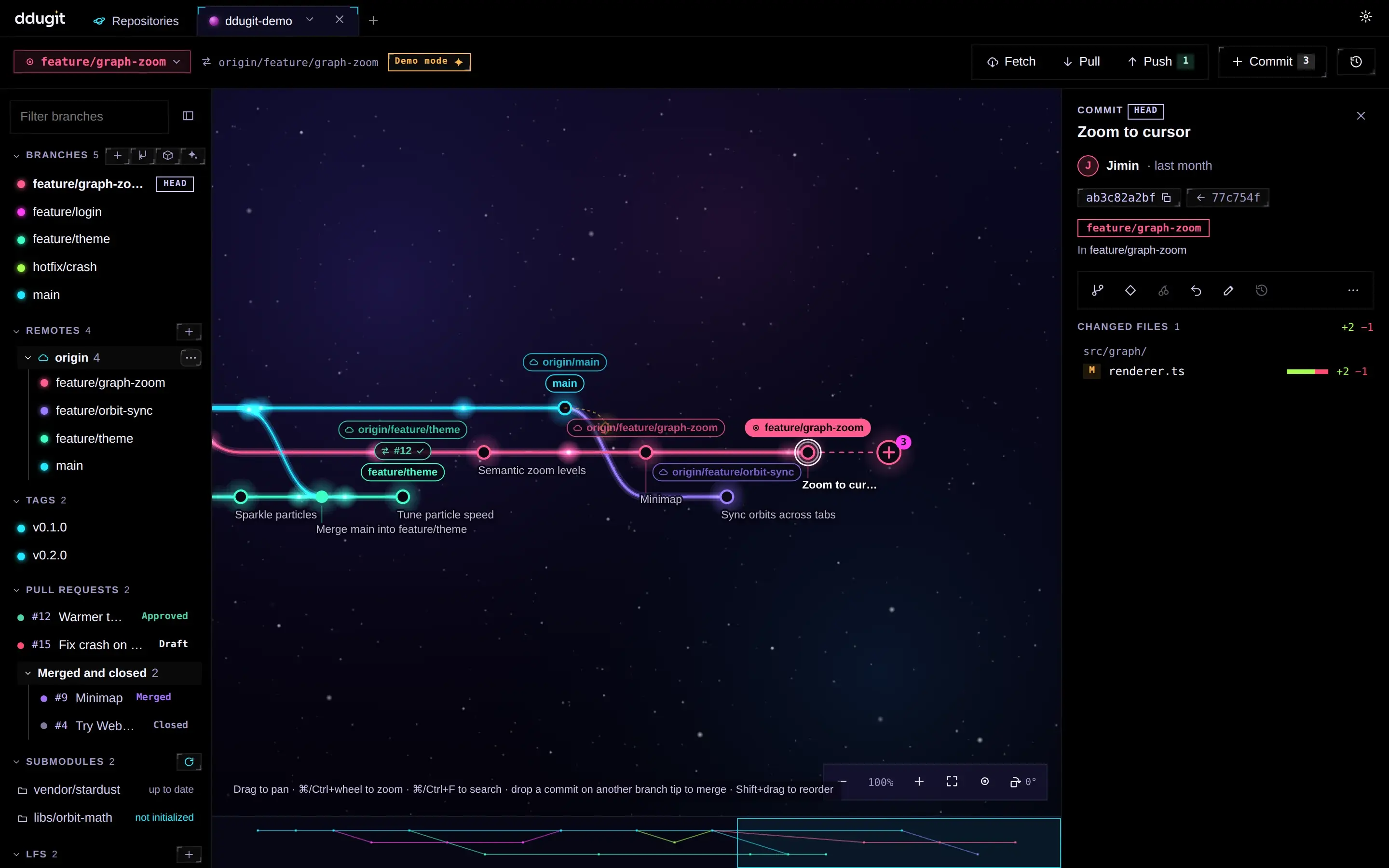
Graph first
History is a map you can pan, zoom and rotate. Each branch keeps its lane and color, so even a large repository reads at a glance.
Drag to merge
Drop a branch on another to merge, rebase or cherry-pick. Shift-drag a commit to reorder it.
Tidy commits from a list
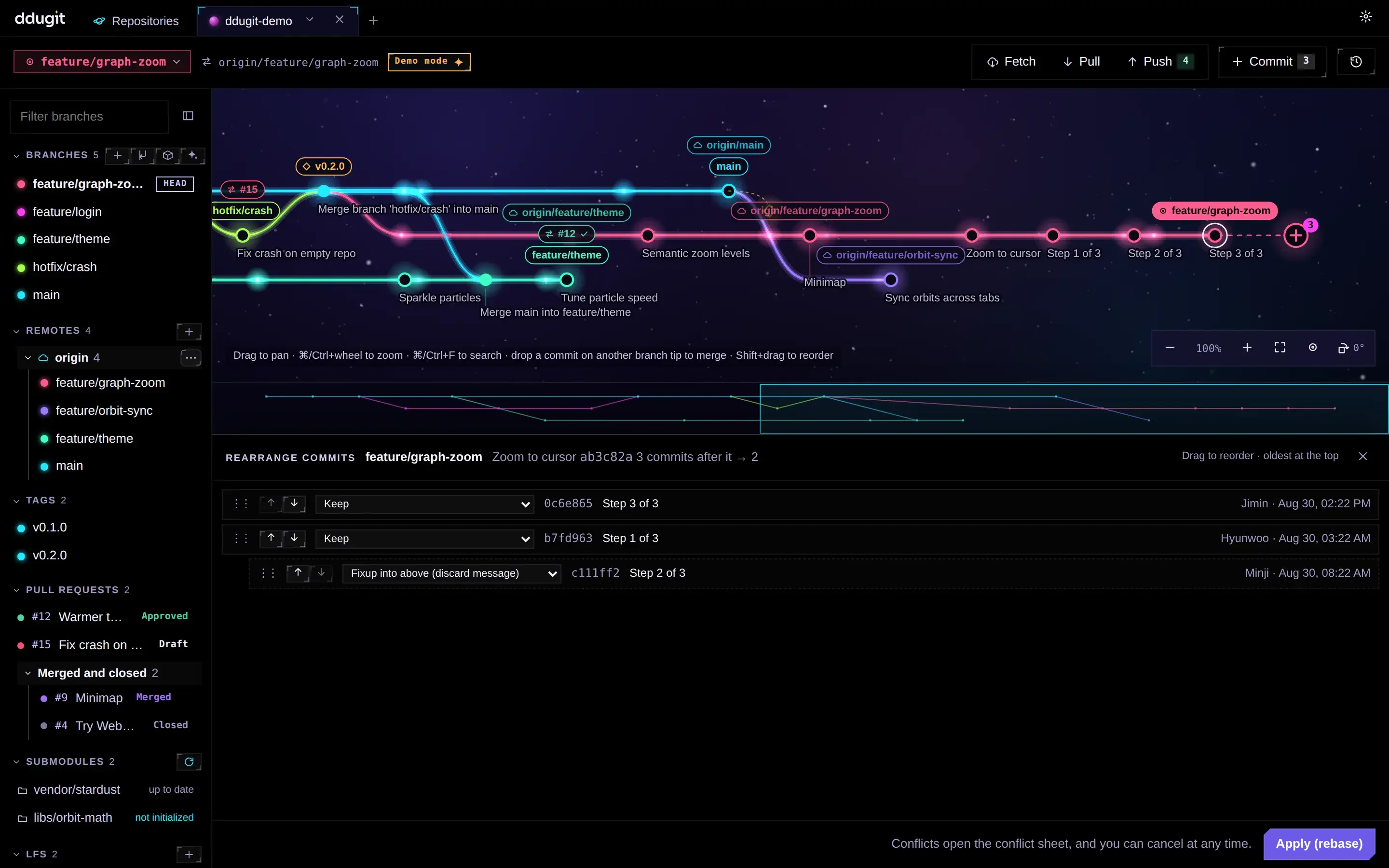
Interactive rebase without an editor: reorder, squash, fixup and drop in a sheet. Histories with merges work too.
Backport tracker (Pro)
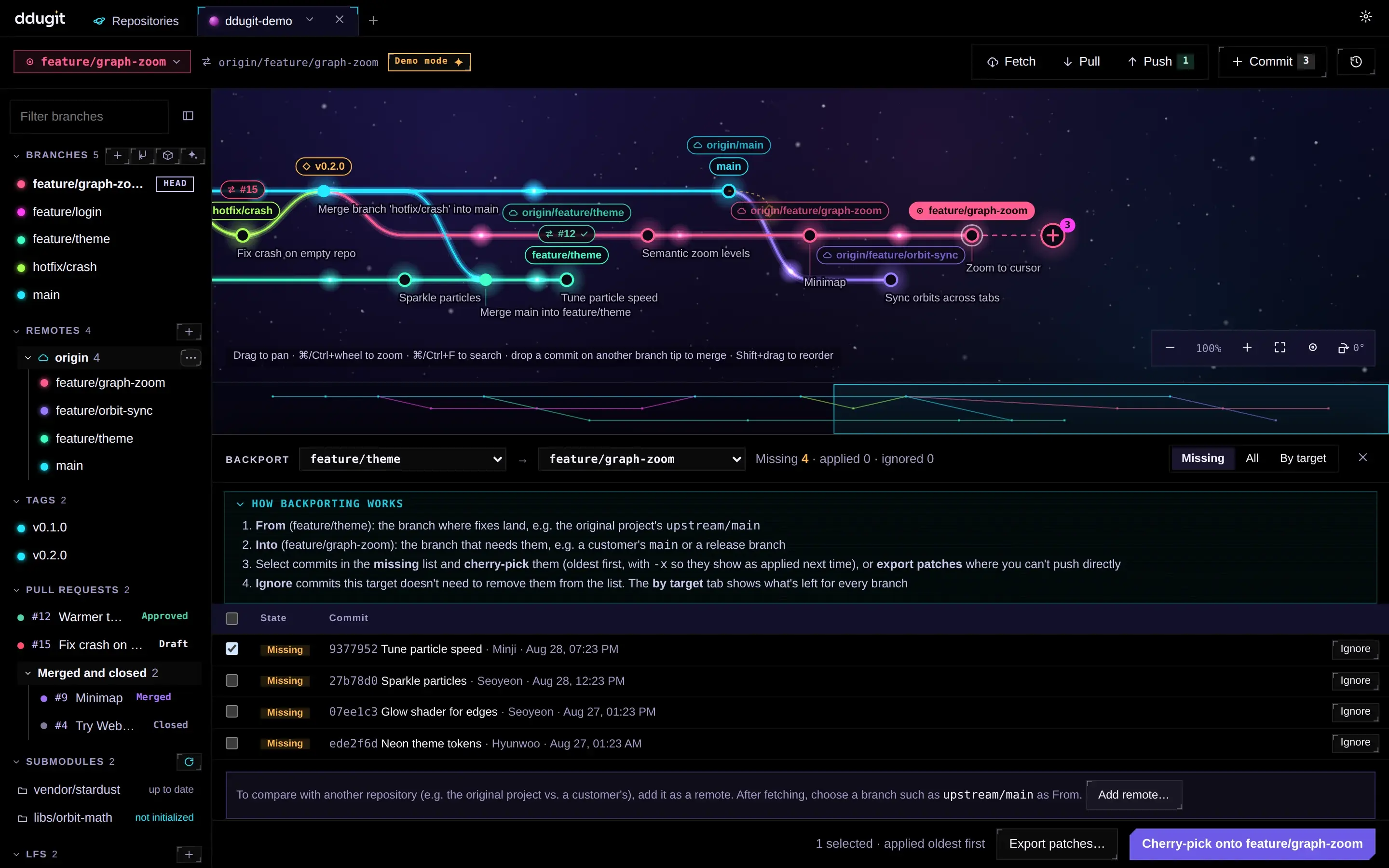
See which fixes one branch has and another lacks, cherry-pick them in order, or export patches for places you can't push to.
All your repositories (Pro)
One dashboard for every repository: current branch, ahead/behind, local changes and paused work, without opening each one.
Worktrees, submodules, LFS
The tools large projects need live in the sidebar, next to your branches and pull requests.
Interactive rebase
Drag rows to reorder, pick fixup or squash, and apply. Conflicts open in their own sheet and you can cancel any time.
Backports
Compare an upstream with a customer branch, cherry-pick the fixes it lacks, and mark the ones it never needs.
No sign-up to download or use. An account is only for buying Pro.